
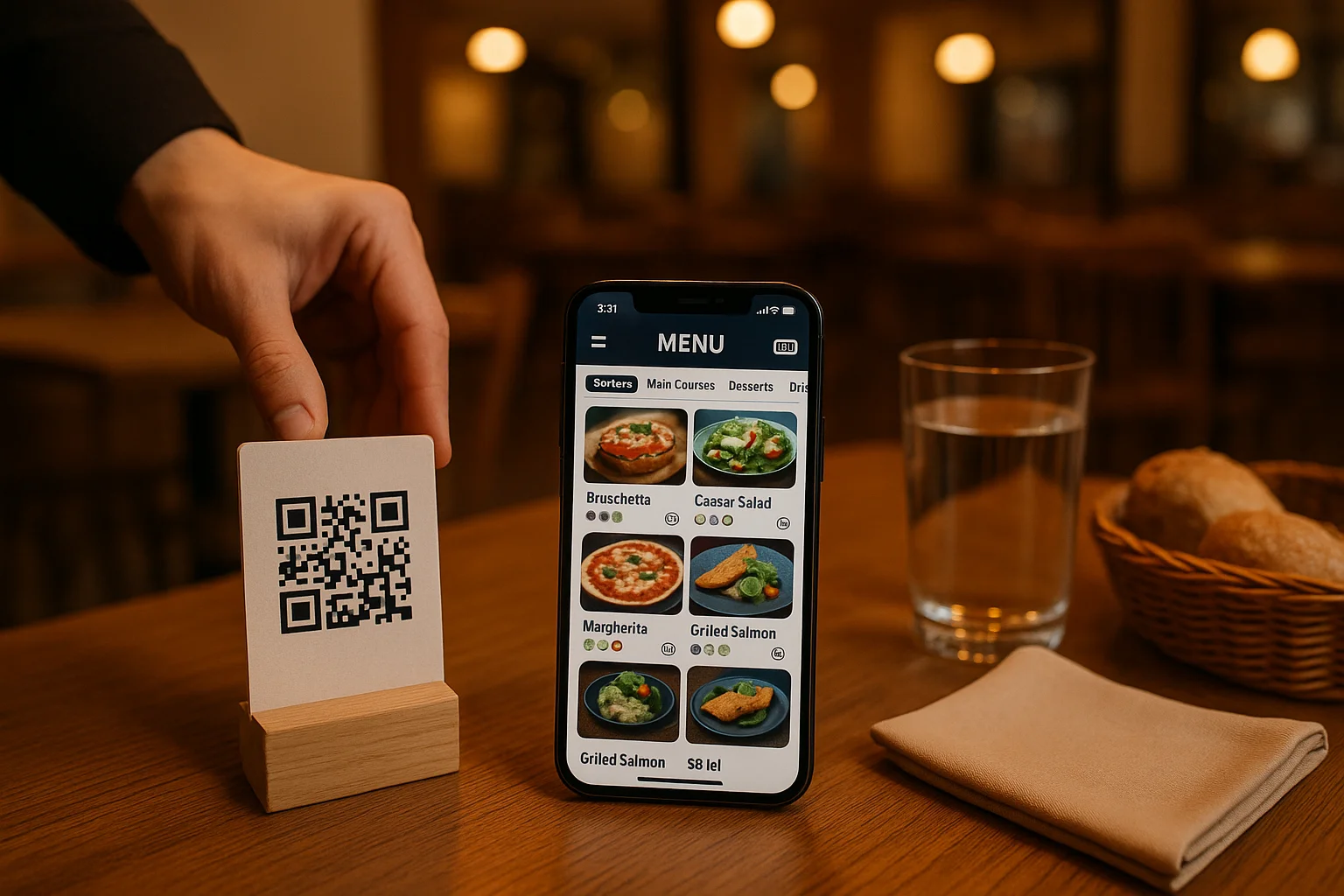
What features should a QR menu have
In an increasingly digitalized hospitality industry, the question is no longer whether you need a QR menu, but what useful QR menu features it must offer to bring real value to your restaurant. A simple QR code that opens a PDF is no longer enough in 2026. Customers expect an interactive, fast, and complete experience, and restaurant owners need tools that simplify their daily operations. In this guide, we analyze the essential features you should find in any modern digital menu solution.
What a QR menu with useful features means in 2026
A digital QR menu in 2026 goes far beyond the notion of a simple dish catalog accessible by scanning. It represents a digital touchpoint between the restaurant and the customer, capable of conveying information, facilitating actions, and collecting valuable data. Modern solutions integrate functionalities that cover the entire customer experience cycle: from the moment they sit down at the table, until after they leave.
Platforms like Menivo have evolved precisely in this direction, offering a complete ecosystem around the QR menu. If you want to understand what a digital QR menu is and how it works in detail, it's worth exploring what lies behind a simple scannable code.
QR menu useful features: the complete list of essential characteristics
When choosing a digital menu platform, there are a few basic functionalities without which the investment isn't justified. Here are the most important ones:
- Drag-and-drop visual editor – the ability to create and organize categories and products without technical knowledge, directly from the browser.
- Photos and detailed product descriptions – quality images and clear descriptions increase conversion rate and customer satisfaction.
- Allergen information and nutritional values – legally mandatory and essential for customers with dietary restrictions.
- Multilingual support – menus available at least in Romanian and English, to serve tourists and international customers.
- Real-time updates – prices and dish availability can be changed instantly, with no reprinting costs.
- Generate and download a unique QR code – each restaurant receives a personalized code, easy to integrate into physical or digital materials.
- Online orders (delivery and pickup) – customers can place orders directly from the menu, without needing a third-party platform.
- Online reservations – a feature that eliminates phone calls and missed messages.
- Review system – collecting feedback directly in the platform, with moderation capability.
Why the online reservation feature makes the difference
Online reservation is one of the most sought-after functionalities by restaurant owners and, at the same time, one of the most appreciated by customers. By integrating a reservation system directly into the QR menu, you completely eliminate dependence on phone calls, avoiding situations where tables are lost due to faulty communication.
A well-implemented system allows the customer to specify their name, number of people, desired date and time, and the restaurant receives instant notifications and can confirm or decline the reservation, with personalized messages. The table reservation feature in Menivo is built exactly along this logic, offering a simple flow both for the customer and for the administrator.
Besides operational convenience, online reservations give you valuable data about customer behavior: peak hours, average group size, attendance rate. This information helps you optimize resources and plan more efficiently.
Allergens and nutritional values: mandatory, not optional features
In Romania, displaying allergen information is a legal obligation for any public food service establishment. A QR menu that doesn't include this functionality exposes you to legal risks and, more importantly, to risks to your customers' health. The complete guide on food allergens explains exactly what obligations you have and how you can comply with them efficiently.
Menivo includes native support for allergens at the product level, with the ability to select from the standardized list the 14 main allergens regulated by European legislation. In addition, the integrated nutritional values calculator helps restaurants display complete information about calories, proteins, fats, and carbohydrates, without time-consuming manual calculations.
Online orders and the review system: revenue growth engines
A QR menu with useful features doesn't stop at displaying dishes. The ability to place orders directly from the menu — whether for home delivery or pickup — transforms the menu from a passive tool into an active sales channel. The customer sees the dish, reads the description, checks the allergens, and orders, all in the same place, without being redirected to an external app.
The ordering system in Menivo allows specifying the order type (delivery or pickup), the delivery address, the pickup time, and special notes. The restaurant receives real-time notifications and can manage order status directly from the admin panel. You can learn more about how to enable this feature in the complete guide to enabling online orders.
Equally important is the review feature. Authentic customer feedback, collected and displayed directly on the menu, increases the trust of new visitors and gives you real information about the quality of services. Menivo allows generating a link or dedicated QR code for reviews, moderating them, and even integrating with the Google Reviews page. Details about setup can be found in the review activation guide.
Advanced functionalities that separate good platforms from mediocre ones
Beyond the basic features, mature digital menu platforms offer characteristics that make a difference in daily use. Here are some relevant examples:
- Excel import/export – the ability to upload or download the entire menu in spreadsheet format, especially useful at launch or for massive seasonal updates.
- Flipbook and visual materials – creating stylized visual pages, similar to a physical menu, for a premium presentation.
- Flyer generator – creating promotional materials directly from the platform, with integrated canvas editing.
- Analytics and statistics – data about QR scans, viewed products, and user behavior, essential for marketing decisions.
- POS integration – syncing the digital menu with the point-of-sale system, for unified order management.
If you want to compare how Menivo positions itself against other solutions available on the market, you can check the article Menivo vs. Other Digital Menu Platforms, which objectively analyzes the key differences.
Conclusion: choose a QR menu that works for you
A truly useful QR menu is not just a digital replacement for the printed menu. It's a complete business tool, which attracts customers, simplifies operations, and generates additional revenue. Essential features — from allergens and nutritional values, to online reservations, orders, and reviews — are no longer optional in 2026; they are standard expectations of modern customers.
If you want to discover how you can implement all these functionalities quickly and efficiently, create your digital menu in 10 minutes on Menivo and explore everything the platform has to offer. Your restaurant deserves more than just a simple QR code.