How to create a QR digital menu: the complete step-by-step tutorial
Step-by-step tutorial for a QR digital menu: restaurant, categories and groups, dishes or Excel import, template and the QR code on your tables.
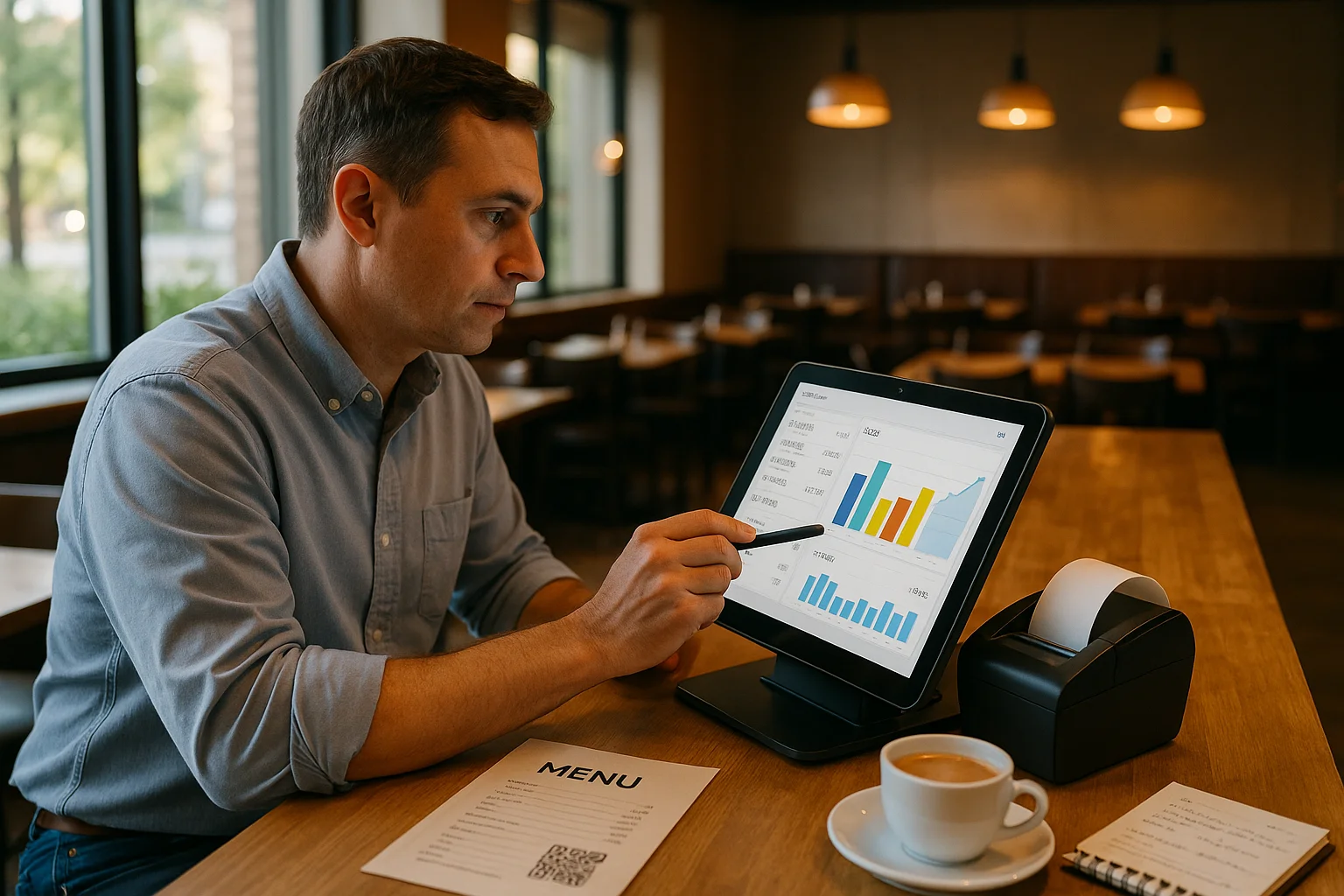
A POS and billing system for restaurants, bars and cafés, connected to your fiscal printer and built for both managers and the staff on shift.
Guests order from the table on their own, the order shows up on the kitchen screen without a printed ticket, and at the end everyone splits the bill the way they want and picks how to pay. The fiscal receipt goes straight to the fiscal printer.
Included from the Entry plan, from €2 per month. No terminal to buy.
Every table shows its state: free, opened by you or by a colleague. When a guest orders on their own through the QR code, the table lights up and you know right away where to go.
An open table stays with the waiter who took it, so two people never work on the same order.
The waiter searches for the product, adds it to the table and sends it. The order reaches the kitchen screen in the right department, and the kitchen ticks off each item as it is prepared.
Guests can also order on their own by scanning the QR code on the table. The order joins the same flow without waiting for anyone.
By items or by person, with partial payments and a remaining balance. The table stays open until everything is paid, and special cases go through a manager’s approval.
Staff meals, complimentary bills and hotel charges are marked separately, so they never mix with sales.
Every payment, including each part of a split bill, prints a fiscal receipt automatically on the restaurant’s fiscal printer. Nothing is entered twice.
It works with Datecs fiscal printers (USB or serial) and with FiscalNet-compatible printers. Other models can connect over HTTP.
The connection runs through Bridge Fiscal, a small Windows app you install on the computer next to the fiscal printer. Everything else stays in the browser.
The features below are part of the module, not paid extras.
See in real time which table is free, busy or paying. Every table has its own QR code.
Guests scan, browse the menu and order on their own. The order goes straight into the system.
By items or by person, with partial payments and a remaining balance.
Orders reach the right department, and the kitchen marks each item as ready.
Each employee logs in with their own PIN on a phone or tablet, with separate roles. You know who opened the table and who took the payment.
The waiter requests a return, the manager approves or rejects it. Every decision leaves a trace.
Automatic fiscal receipt on payment, plus bar and kitchen printers with a test print.
Complimentary and hotel bills are marked separately from sales.
Every closed table keeps what was ordered, who served it and how it was paid.
Unlike a regular POS, the digital menu and the till share one catalog. Change a price once and it changes everywhere: on the table QR code, in the waiter app and on the receipt.
If your digital menu is already in Menivo, the POS starts on top of it, with nothing to re-enter.
The POS module is included from the Entry plan. The free Start plan covers the digital menu only.
No dedicated terminal needed: it runs in the browser on a tablet, phone or laptop.
Compare plansThe POS module is included from the Entry plan, from €2 per month, with no setup fees and no contract. The free Start plan covers the digital menu only.
Datecs fiscal printers over USB or serial port, and FiscalNet-compatible printers. Other models can connect through an HTTP server. The connection runs through the Bridge Fiscal app, installed on a Windows computer next to the fiscal printer.
Not for orders: the system runs in the browser on a tablet, phone or laptop. For fiscal receipts you need a compatible fiscal printer and a Windows computer next to it.
Each employee logs in with their own PIN on a phone or tablet, sees the floor plan, opens tables and sends orders straight to the kitchen or the bar.
Yes. Orders are routed by department, for example kitchen and bar, so each station only sees what concerns it.
Not yet. Stock management is in the works and will come as part of the POS module. Until then, the POS covers orders, payments, fiscal receipts and sales reports.
Yes. The POS uses the same product catalog as the digital menu, so there is nothing to re-enter and a changed price updates everywhere.
Step-by-step explanations from the Menivo team.
Step-by-step tutorial for a QR digital menu: restaurant, categories and groups, dishes or Excel import, template and the QR code on your tables.
Learn how to use pos sales reports qr menu in Menivo to analyze your restaurant's performance and make better decisions.
Learn how QR POS menu order management works in Menivo. Practical step-by-step guide for modern restaurants in Romania.
Learn how QR menu POS synchronization works in Menivo. Complete step-by-step tutorial for restaurants that want to automate orders.
Learn how the POS staff permissions setting works in Menivo. Complete guide with roles, access, and step-by-step setup for your restaurant.
Complete guide on configuring POS staff module in Menivo. Learn how to add, edit, and manage staff in the POS system step by step.
Create an account, add your tables and take the first order the same day. No contract and no setup fees.
We use cookies
We use cookies to improve your experience. You can choose which categories you accept.
Necessary
Essential for the website to function. Cannot be disabled.
Provider: Cookie Consent
Stores the user cookie consent choices.
Provider: Cookie Consent
Stores the accepted cookie policy version.
Provider: Laravel
Maintains the application session between requests.
Provider: Laravel
Protects forms against CSRF attacks.
Analytics
Help us understand how you use the site (visits, pages, traffic sources).
Provider: Google Analytics
Distinguishes unique users for Google Analytics reporting.
Provider: Google Analytics
Distinguishes users for one day for Google Analytics.
Marketing
Used for relevant ads and measuring campaign effectiveness.
Preferences
Remember your settings (language, chat, interface customization).